
WordPress 6.9 officially arrived on December 2, 2025 — and it’s a bigger release than anyone expected. The WordPress team originally planned to ship only one major update this year; however, as more contributors joined in and development accelerated, the roadmap evolved. The result? A surprise second major release packed with powerful upgrades.
The highlight of WordPress 6.9 is the improved Site Editor. Everything feels smoother — from switching templates to navigating the editing screen. The workflow is more intuitive, and managing your site’s design now takes fewer clicks. Collaboration also got smarter: teams can now use block-level comments to leave notes directly inside the editor, making feedback easy and organized.
Developers get plenty of love, and Improving Content Creation, too. The Interactivity API has been enhanced, and the brand-new Abilities API lets developers control features with more flexibility and security. Performance has been boosted across the board with quicker page transitions and more optimized resource loading — meaning faster, more efficient websites.
Will There Be a New Default Theme?
No — WordPress 6.9 does not include a new default theme.
Why?
Two main reasons:
- Tight release timelines: WordPress 6.8 (released in April 2025) and 6.9 were both delivered quickly, leaving little room for designing a new theme.
- Block theme maturity: Block themes have become more capable and stable, reducing the need for a new default theme this cycle.
As a result, users won’t see a new default theme debuting in WordPress 6.9.
WordPress 6.9 Features and Improvements
Just like WordPress 6.8, the new WordPress 6.9 release introduces a fresh wave of enhancements designed to improve editing, performance, and overall usability.
Here are the top 10 standout features coming with WordPress 6.9:
- Notes (Block-Level Comments)
- Command Palette Everywhere
- Fit Text to Container
- Improved Site Editor
- Hide Blocks
- Better Drag-and-Drop
- Performance Improvements
- Accessibility Enhancements
- New Abilities API
- Enhanced Site Editing Experience
A More Powerful Site Editor
The Site Editor—your workspace for customizing templates, styles, and page layouts—gets a major upgrade in 6.9. The goal is clear:
make editing your website faster, simpler, and more intuitive.
1. Streamlined Site Editing
Editing feels more natural than ever. You can update text, images, and other content without being overwhelmed by advanced design tools.
Need deeper control?
The advanced tools are still there—just tucked away until you need them.
2. Simplified Template Management
Template handling becomes much more flexible with WordPress 6.9:
- Use multiple templates for a single page
- Save and reuse custom templates
- Keep your templates even when switching themes
- Take advantage of new REST API endpoints for smoother workflows
This gives users and developers more control over how pages look and feel.
3. Hide Blocks (Without Deleting Them)
Sometimes you want to hide something from visitors—without removing it entirely.
WordPress 6.9 makes this incredibly easy.
You can temporarily hide blocks to:
- Test new design ideas
- Prepare content before it goes live
- Keep incomplete sections out of sight
This ensures your live site stays polished while you experiment freely behind the scenes.
Improving Content Creation
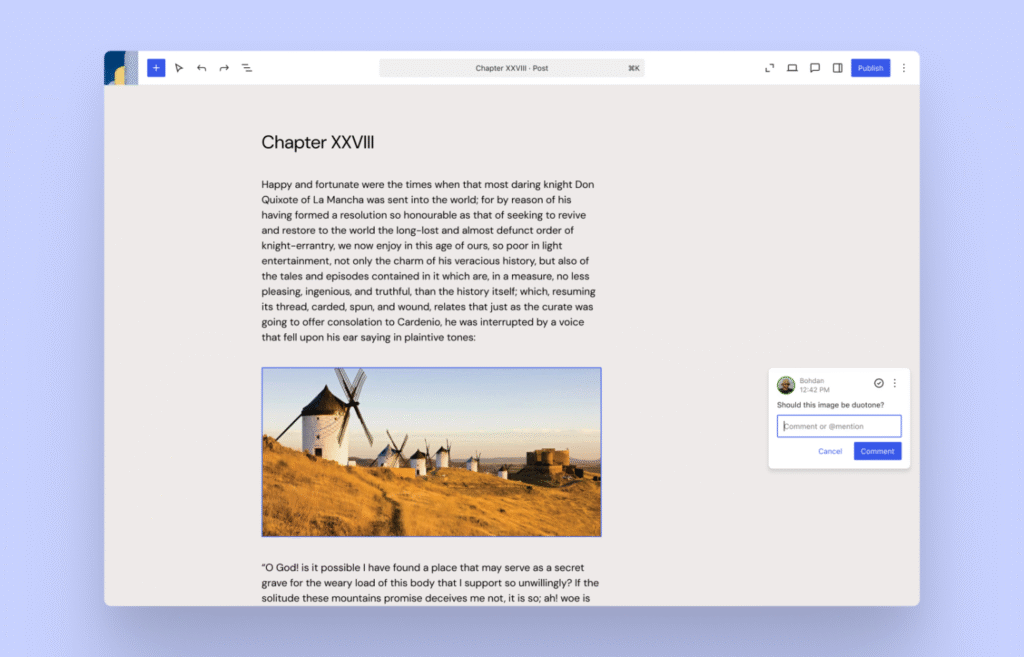
In this new release, content creation has been made simpler and more impactful. Users will utilize various tools to move crucial blocks from one side to another. Moreover, keyboard shortcuts will also make the lives of users a lot easier.
Notes (block-level collaboration)
A new, exciting feature, Block Level Commenting Notes (block-level collaboration), will likely inspire users. This will help users working in teams to collaborate with other users, sharing their ideas and approaches in real time. They can add comments on particular blocks and manage them without wasting their time.
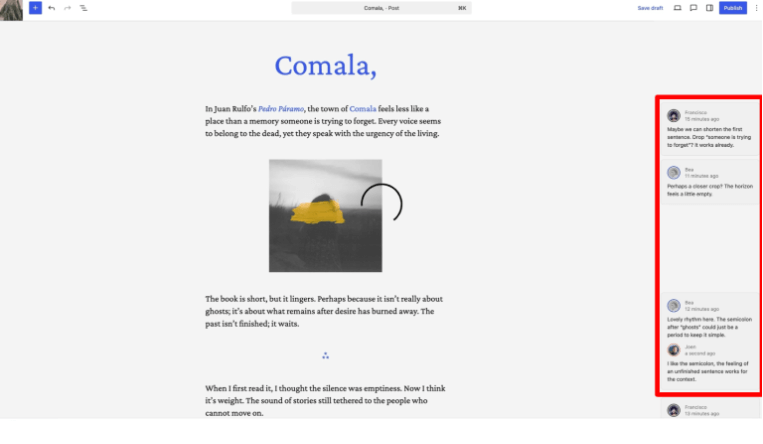
- Notes appear directly on blocks
- Improve team collaboration and feedback workflows
- Work during copywriting, design, and layout changes
Fit Text to Container
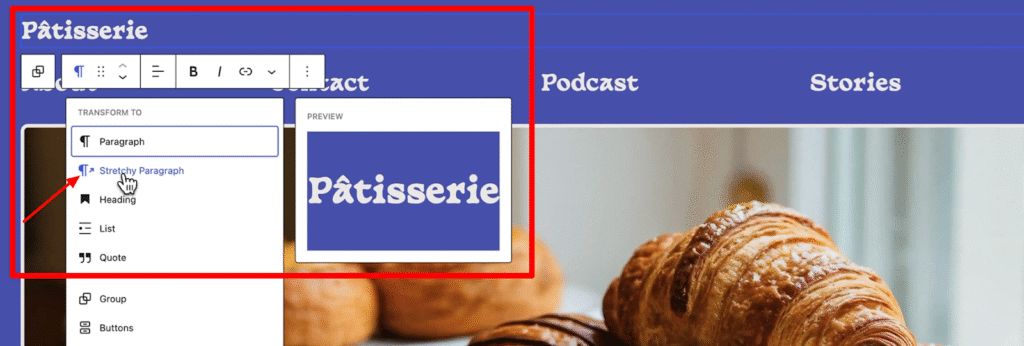
Image source: WP Experts
WordPress 6.9 introduces a new typography option called Fit Text to Container. This feature automatically adjusts the font size so the text perfectly fits the space available. It works with the Paragraph and Heading blocks and is ideal for creating standout elements like banners, hero sections, and callout messages without manually tweaking font sizes.
Aspect Ratio in Gallery Block
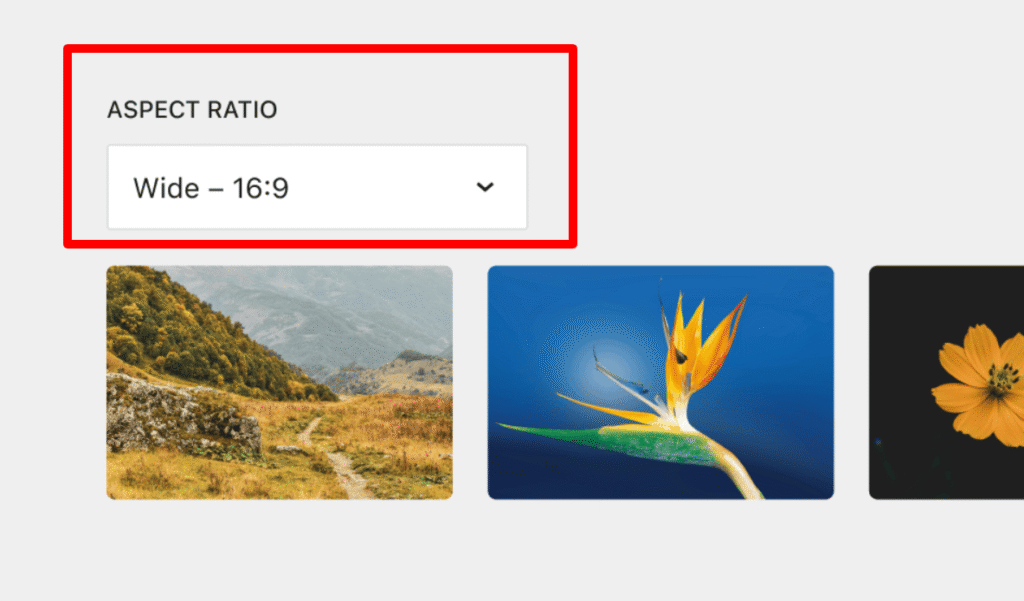
Image source: WP Experts
WordPress 6.9 lets you set a fixed aspect ratio for images inside the Gallery block. This helps your galleries look clean, consistent, and aligned without needing manual adjustments. It’s a simple improvement that gives users more control over how images appear across their site.
New Blocks and Visual Drag-and-Drop Enhancements
Alongside other improvements, WordPress 6.9 introduces new practical blocks designed to help creators build richer content layouts. Additionally, the drag-and-drop experience has been made more visual and intuitive, allowing users to rearrange content more easily while seeing clearer placement indicators and block boundaries.
Enhanced Details Block
The Details block has been improved in WordPress 6.9, making it easier to display expandable content sections with better styling and behaviour. These upgrades help users present structured information more cleanly.
Accordion Block
A new Accordion block is now available, allowing you to add collapsible sections anywhere on your site. It’s perfect for FAQs, menus, and long content you want to keep tidy. This gives users more flexibility when organizing information.
Time to Read Block
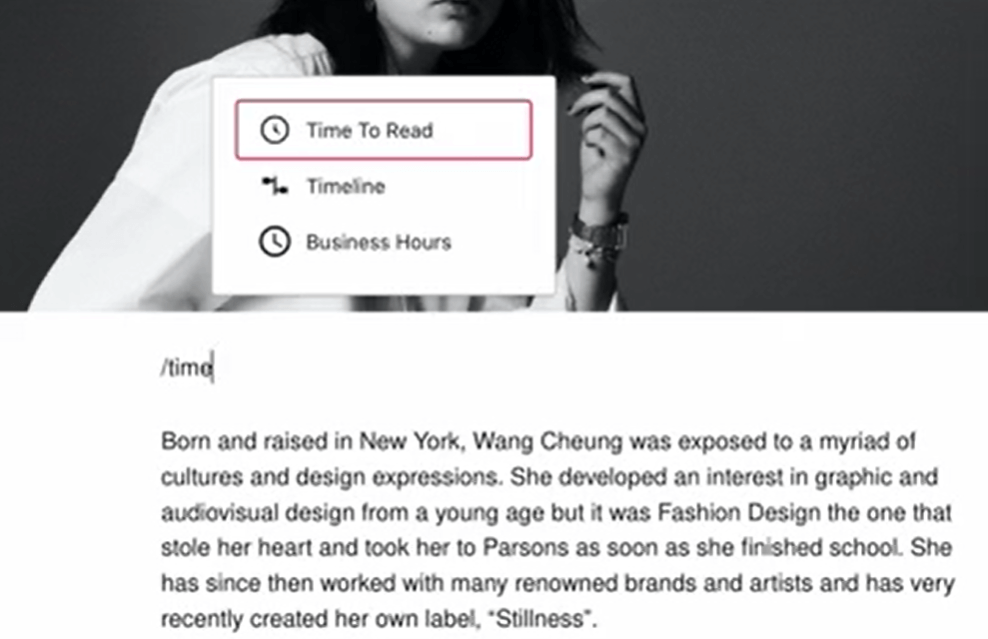
Image source: WP Experts
The new Time to Read block shows an estimated reading time for your posts. This small addition improves the reading experience by helping visitors know how much time the content may take.
Command Palette
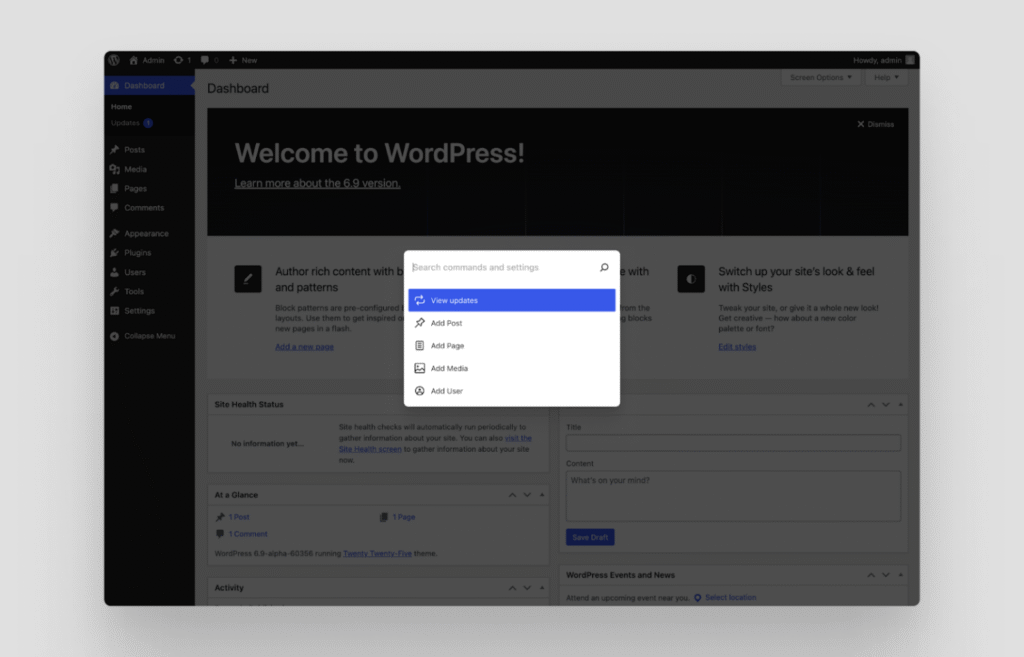
WordPress 6.9 will include the Command Palette feature, which is incorporated into all aspects of WordPress. This enables users to quickly go through all parts of their websites and perform various actions as needed.
Accessibility Improvements
WordPress 6.9 includes more than 70+ accessibility fixes to enhance usability for everyone. These improvements refine how WordPress interacts with assistive technologies and ensure a smoother editing experience. Key updates include:
- Improved screen reader announcements for better clarity
- Removal of unnecessary CSS-generated content from assistive tools
- Fixes for cursor placement issues when typing
- Ensuring users don’t lose focus when clicking on autocomplete suggestions
These updates collectively make WordPress more accessible and easier to navigate.
WordPress 6.9 Developer Updates
WordPress 6.9 will help developers make their sites more engaging and results-driven. They can utilize various tools, including AI Integration, Data and Forms, Connecting Blocks, Interactive Features, and HTML tools.
New Abilities API
The new Abilities API provides a standardized, machine-readable permissions system that works across PHP, REST API, JavaScript, and even AI agents. Developers can now register, validate, and execute actions consistently, making automated and AI-driven workflows easier to build.
Interactivity API Improvements
The Interactivity API gets several enhancements, including smoother full-page navigation and instant search results. These improvements help developers create more dynamic, interactive experiences with less effort.
Bind Controls to External Sources
Developers can now extend block bindings by connecting controls to external data sources. This gives third-party tools and services more flexibility when integrating with WordPress, making it easier to build richer, more dynamic experiences.
HTML API Enhancements
The HTML API also continues to evolve in WordPress 6.9, improving code handling and making the editing and rendering process more reliable.
Math Block (MathML Support)
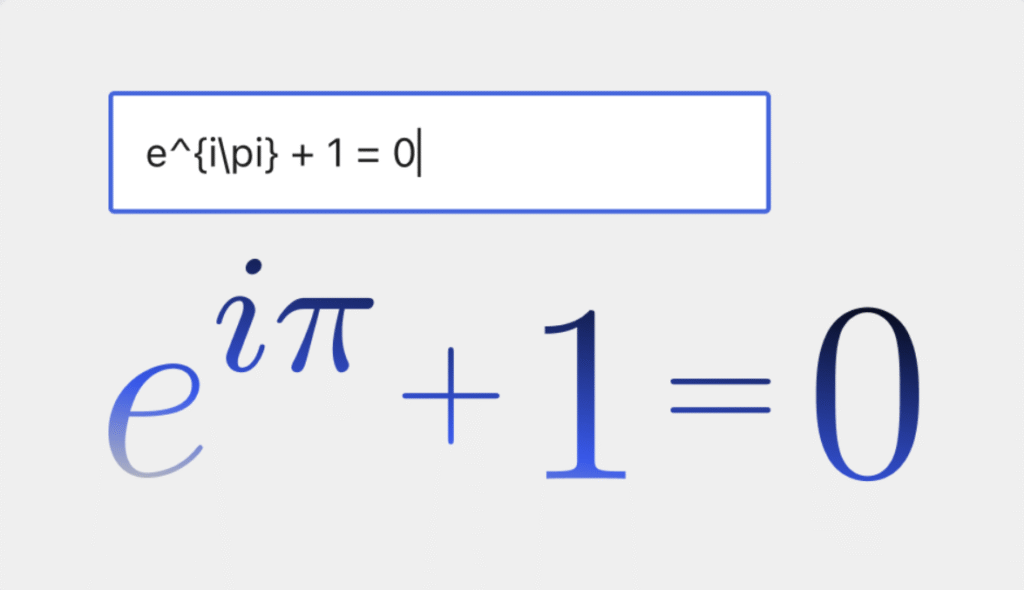
WordPress 6.9 introduces a new Math block with MathML support, allowing developers and content creators to display formulas and equations directly in the editor—ideal for educational and technical sites.
Performance Enhancements
In terms of performance enhancements, users will experience many improvements in WordPress 6.9. These enhancements comprise faster data loading, smart page caching, speedy page navigation, and efficient stylesheets.
With faster data loading, pages will load quickly, even if they contain a lot of information. Smart page caching enables developers to control how pages are saved, thereby enhancing site performance.
In faster page navigation, the visited pages will be loaded quickly, improving page load time significantly. Efficient stylesheets make code more effective, ensuring sites load faster than ever.
AI Developments in WordPress 6.9
WordPress 6.9 introduces some of the most important AI-focused updates the platform has ever seen. Here’s a simple breakdown of what’s new:
1. Abilities API
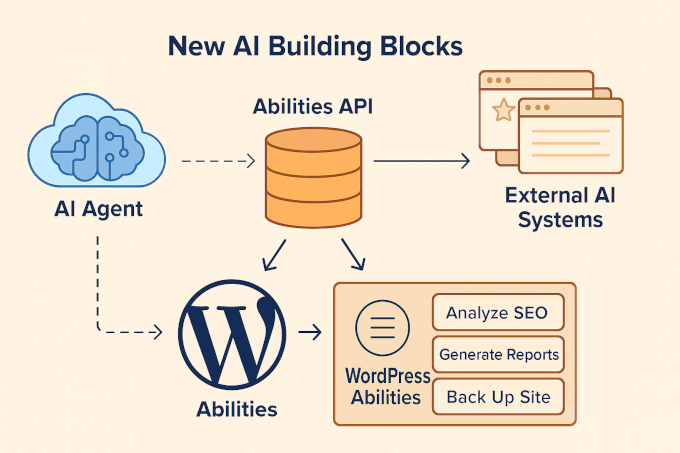
The Abilities API is a major step forward. It acts as a machine-readable directory of everything WordPress can do.
Traditionally, WordPress functions—whether from core, plugins, or themes—were only accessible through code. Now, with the Abilities API, these capabilities are organized in a way that both humans and AI tools can understand.
Plugins and themes can register their abilities, such as:
- Analyzing SEO content
- Generating reports
- Creating backups
- Running scans
Each ability includes clear inputs, outputs, and permissions, making it easier for AI systems to interact with WordPress safely and intelligently.
2. MCP Adapter
The MCP Adapter works like a translator between WordPress and AI agents.
It connects the Abilities API with the MCP (Model Context Protocol) standard, giving AI systems a predictable way to interact with your site.
It supports common communication methods like HTTP and STDIO, and includes built-in error handling, making it much simpler for developers to build reliable, custom AI-powered features.
3. PHP AI Client
The new PHP AI Client makes it significantly easier for developers to integrate AI models into their plugins.
Some key benefits include:
- Works with all major AI providers
- Developers can pick the exact AI model they need
- API credentials are managed in one central place
(No need to enter keys separately for every plugin)
This creates a smoother and more secure workflow for adding AI functionality to WordPress.
Don’t Miss the Next WordPress 6.9 Release Date
Experience a faster, more innovative, and more collaborative WordPress 6.9. As we witnessed, it’s loaded with powerful new features that enhance editing, performance, and workflow for creators and developers.
If you like this blog post, share it with others. Your support enables us to share updates, news, and information related to WordPress.